Smart labels
How products are split into Champions, Assistants, Sleepers and Enemies, and how to use the labels in Google Ads.
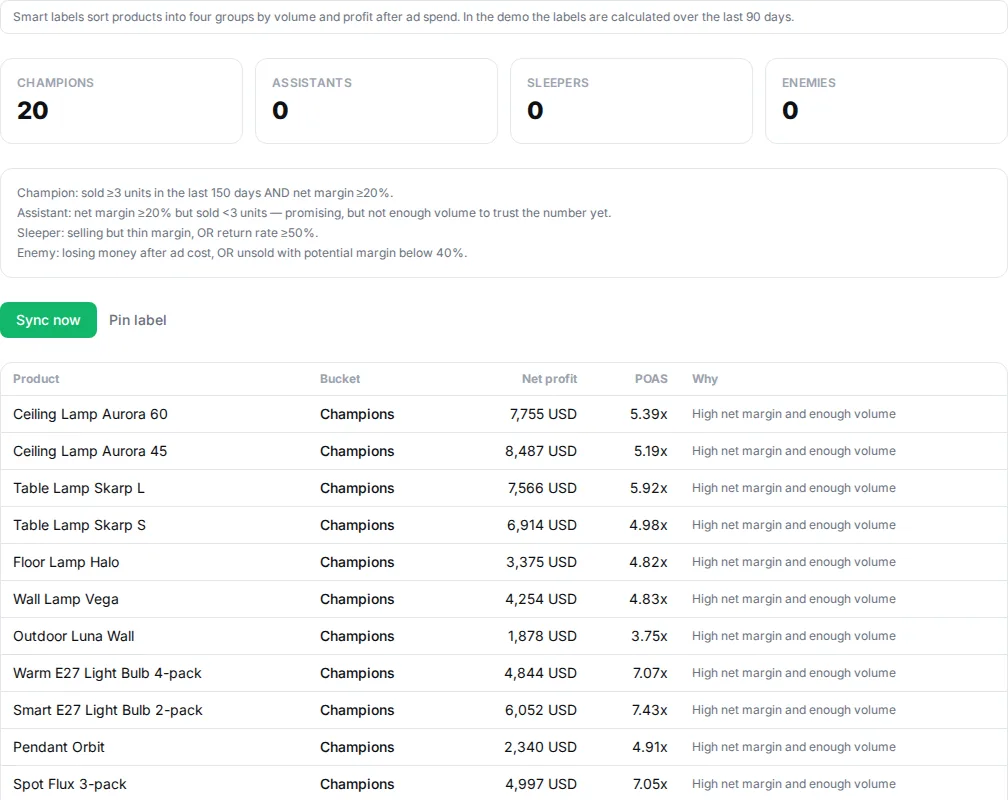
Smart labels (the tab in Product Advisor) split your products into four groups by sales and profit after ad spend:
- Champions — strong net margin and enough sales to trust the number. Worth scaling.
- Assistants — good margin but few sales, or unsold products with high potential margin. Worth testing.
- Sleepers — selling, but with a thin margin or a high return rate. Worth repricing or fixing.
- Enemies — losing money after ad spend. Worth excluding from advertising.
The rules
| Rule | Label |
|---|---|
| Out of stock for at least 48 hours | Enemies |
| Cost of goods or price is missing | No label |
| Not sold in the period, and potential margin is at least 40% | Assistants |
| Not sold in the period, and potential margin is below 40% | Enemies |
| Loses money after ad spend | Enemies |
| The product's POAS is below 1 | Enemies |
| Return rate is at least 50% | Sleepers |
| Net margin at least 20% and at least 3 units sold | Champions |
| Net margin at least 20%, but fewer than 3 units sold | Assistants |
| Thin margin, but POAS at least 2 and at least 3 units sold | Champions |
| Thin margin, but POAS at least 2 and fewer than 3 units sold | Assistants |
| Selling, but with too thin a margin | Sleepers |
You can adjust the thresholds in the Smart labels tab, and pin a label to a product manually.
The scoring window is 150 days. If the store hasn't given Promoosh access to its full order history, at most 60 days are used, and the app shows a notice about it. Products without a cost get no label — see Cost prices and fallback cost. POAS here is POAS per product, explained in POAS explained.
To Google Merchant Center
When syncing is on, the labels are written to Google Merchant Center as a custom label (custom_label_0–4, you pick the slot). They refresh every 6 hours, and you can run a manual sync with Sync now. When a label stops applying, it is cleared on the next sync.
Using them in Google Ads
Create separate campaigns or product groups per label in Shopping or Performance Max, bid higher on Champions and Assistants, and exclude Enemies. Your advertising then follows your profitability automatically.
See the labels on sample data in the demo.
Last reviewed 30 October 2026